
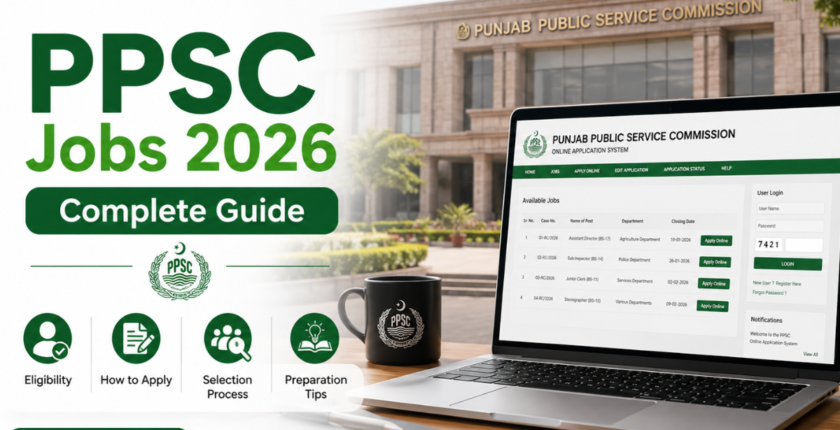
PPSC Jobs 2026: How to Apply Online Step by Step
Last Updated: May 2026
Many people open the PPSC website with full confidence, but after a few minutes they start feeling confused.
The job title looks simple. The advertisement is there. The apply button is there. But then the real questions start:
Which post should I select?
Do I meet the age limit?
How do I pay the fee?
Is fee payment enough?
What if I make a mistake in the form?
Do I need to send documents by post?
This is exactly where many beginners make mistakes. They are eligible for the job, but because they apply in a hurry or skip small details, their application becomes risky.
This guide is written in simple words for candidates who want to apply for PPSC jobs but do not want to get lost in the process. I will explain how PPSC jobs work, how to apply online, how to pay the fee, what documents you should keep ready, and what mistakes you should avoid.
What is PPSC?
PPSC stands for Punjab Public Service Commission. It is the official recruitment body for many government jobs in Punjab.
Through PPSC, candidates can apply for posts in different Punjab government departments. These jobs may include lecturer posts, assistant posts, inspector posts, medical posts, officer-level posts, and many other vacancies depending on the department.
The important thing to understand is that PPSC is not like a normal private job website where you simply upload a CV and wait for a call. PPSC has a proper process. You need to check the advertisement, confirm eligibility, apply online, pay the required fee, appear in the test if required, and follow the interview or selection process.
The official PPSC website provides sections such as jobs, apply online, syllabus, results, examination schedules, and interview updates.
Where Should You Check PPSC Jobs?
The safest place to check PPSC jobs is the official PPSC website.
You may see PPSC job updates on Facebook, WhatsApp, YouTube, or job websites. These sources can help you know that a job has been announced, but they should not be your final source.
Before applying, always verify details from the official PPSC advertisement.
Check these things carefully:
- Post name
- Case number
- Department name
- Required qualification
- Age limit
- Domicile requirement
- Gender eligibility
- Experience requirement
- Application fee
- Closing date
- Syllabus, if available
A small example: suppose someone sees “Assistant” written in a job post and applies quickly. Later, they realize the post had a specific qualification, age limit, or department condition. This kind of mistake happens when candidates only read the job title and ignore the full advertisement.
Do Not Wait for the Last Date
This sounds like simple advice, but it is one of the most important points.
PPSC itself advises candidates not to wait for the last date and to apply early.
The reason is simple. On the last date, many candidates apply at the same time. The website may feel slow, your internet may create problems, fee payment may take time, or you may notice a mistake when there is no time left to fix it.
A better habit is to apply at least two or three days before the closing date.
If you keep waiting, even a small issue can become a big problem.
Step-by-Step Method to Apply for PPSC Jobs Online
Now let’s go through the process in a simple way.
Step 1: Open the Official PPSC Website
First, visit the official PPSC website ppsc.punjab.gov.pk and look for the Apply Online option.
PPSC’s online system is made for candidates who want to apply for general recruitment examinations and PMS examinations in Punjab.
When you open the apply section, do not rush. Take a minute and look at the available posts. Select only the post you are actually eligible for.
Step 2: Select the Right Post
After opening the online application section, you need to select the post.
This is where many candidates make their first mistake. They see a post name, get excited, and start filling out the form without reading the full information.
Before selecting the post, check:
- Is this post related to your qualification?
- Is your subject accepted?
- Are you within the age limit?
- Do you have the required domicile?
- Is experience required?
- Is the post open for male, female, or both?
For example, if a post requires a Master’s degree in a specific subject, a general degree may not be enough. Similarly, if experience is required, fresh candidates should not apply unless the advertisement clearly allows them.
Step 3: Read the Advertisement Slowly
This step may feel boring, but it saves you from rejection.
Read the advertisement from top to bottom. Do not only read the salary scale or post name.
Pay special attention to:
- Qualification details
- Age relaxation rules
- Number of posts
- Quota details
- Department name
- Closing date
- Application instructions
If there is a syllabus link or job description, open that too. PPSC has official sections for syllabus and other recruitment information, so candidates should use them instead of depending only on random online notes.
Step 4: Fill the Online Application Form
Once you are sure that you are eligible, start filling out the online form.
You may need to enter information like:
- CNIC number
- Name
- Father’s name
- Date of birth
- Mobile number
- Email address
- Domicile
- Education record
- Experience details, if required
Write everything carefully.
Use the same name and details that appear on your CNIC and educational documents. Do not use short names or different spellings.
For example, if your CNIC says Muhammad Ahmad Khan, do not write M. Ahmad in the form. These small differences can create confusion later during verification.
Also use your own mobile number and email address. Do not use a friend’s email or a random number. PPSC may send important updates through SMS or email.
Step 5: Pay the PPSC Application Fee
PPSC has introduced online fee collection.
According to PPSC’s official notice, applicants are advised to deposit the fee online by using ATMs, mobile phone banking, internet banking, JazzCash, EasyPaisa, U Paisa, other available microfinance banks, or over-the-counter through 1Link member bank branches. PPSC also states that old Challan Form 32-A, bank draft, pay order, and cheque are not acceptable.
This is important because many old videos and old blog posts still talk about old challan methods. Always follow the latest official instructions.
After payment, save your proof.
Take a screenshot.
Save the receipt.
Write down the payment details.
It only takes one minute, but it can help if you face any issue later.
Step 6: Do Not Stop After Fee Payment
This is a very common mistake.
Some candidates pay the fee and think their application is complete. That is not correct.
PPSC’s own FAQ explains that after paying the fee, the candidate still needs to complete the remaining phases of application submission.
So remember this clearly:
Fee paid does not mean application submitted.
After fee payment, go back to the application process, complete the remaining steps, and submit the form properly.
Before final submission, check your details again.
Step 7: Save Your Application Number and Token Number
After successful submission, PPSC provides an application number and edit token number. These details are important for future use.
PPSC’s FAQ mentions that candidates can use their application number and edit token number to edit mistakenly added data before the closing date.
So do not close the screen quickly after submitting.
Save these things:
- Application number
- Edit token number
- Payment proof
- Screenshot of submitted application
- Advertisement copy
A simple trick is to create a folder in your phone named PPSC Application and save everything there.
Can You Edit Your PPSC Application?
Yes, if the closing date has not passed.
If you made a mistake in your application, PPSC allows candidates to edit mistakenly entered data using the application number and token number before the closing date.
But this does not mean you should fill the form carelessly.
Editing is a backup option, not a habit.
Before submitting, check these details:
- CNIC number
- Name spelling
- Email address
- Mobile number
- Qualification details
- Marks or CGPA
- Domicile
- Post selected
- Experience details
- Fee information
One wrong digit in CNIC or mobile number can create unnecessary trouble.
Documents You Should Keep Ready
You may not need to upload or send all documents at the start for every post, but you should keep them ready.
Common documents include:
- CNIC
- Domicile
- Matric certificate
- Intermediate certificate
- Bachelor’s degree
- Master’s degree, if required
- Transcript or result card
- Experience certificate, if required
- Departmental permission certificate, if already employed
- Disability certificate, if applicable
- Recent photograph
- Application record
PPSC’s FAQ explains that hard copies are not required at the application submission stage for posts falling in BS-18 or below, but original documents are required at the time of interview. For BS-19 and above, hard copies of the online application form with photocopies of required documents may be required before the closing date.
So the document requirement can depend on the post. Always read the advertisement and official instructions.
What Happens After Applying?
After you submit the application, the next steps usually depend on the post.
In many cases, candidates wait for:
- Written test schedule
- Admission letter or roll number slip
- Written test
- Result
- Interview schedule
- Final recommendation
PPSC has official pages for examination schedules, admission letters, interviews, and results. Candidates should keep checking the official website after applying.
Do not depend only on SMS. Sometimes candidates miss messages because their number changes, their phone is off, or their inbox is full.
Admission Letter and Test Day
Before the written test, candidates need to print their admission letter.
PPSC’s admission letter page advises candidates to print the admission letter on legal size paper. It also mentions original identity documents that may be accepted for appearing in the written examination, including original CNIC, valid passport, or computerized domicile certificate with picture.
For test day, keep these things ready:
- Printed admission letter
- Original CNIC or accepted identity document
- Pen
- Test center address
- Extra travel time
- Any instruction written on the admission letter
Do not print the admission letter at the last moment. Printer issues are very common, especially early in the morning.
Common Mistakes Candidates Should Avoid
Here are some mistakes that can easily be avoided.
Applying Without Reading Eligibility
This is the biggest mistake.
Do not apply just because the post looks good. Apply only when you meet the requirements.
Waiting Until the Last Date
Many candidates lose their chance because they wait too long. PPSC itself advises candidates not to wait for the last date.
Paying Fee But Not Completing the Form
Fee payment is only one part of the process. Complete the application and submit it properly.
Using Someone Else’s Email or Number
Use your own contact details. Future updates may come through SMS or email.
Not Saving the Token Number
The token number can help if you need to edit your application before the closing date.
Ignoring Negative Marking
PPSC’s FAQ mentions that for MCQ-type written tests, 0.25 marks are deducted for each wrong answer.
This means you should not mark answers blindly. A wrong guess can reduce your score.
Simple Example for Beginners
Let’s say Ali wants to apply for a PPSC assistant post.
Wrong way:
Ali sees a screenshot in a WhatsApp group. He does not open the official advertisement. He pays the fee on the last date, fills the form quickly, and closes the page without saving the application number. Later, he is not sure whether his application was submitted or not.
Better way:
Ali opens the official PPSC website. He reads the advertisement carefully. He checks the qualification, age limit, domicile, and closing date. He pays the fee through an accepted online method, returns to complete the application, submits the form, saves the application number and token number, and keeps checking the PPSC website for updates.
The second method takes a little more time, but it is much safer.
How to Prepare for the PPSC Test
Preparation depends on the post, but a few habits help almost every candidate.
First, check the syllabus if PPSC has uploaded it for your post. Do not prepare blindly.
Second, understand the nature of the job. A lecturer post will need subject knowledge. An assistant or officer-level post may include English, general knowledge, Pakistan studies, Islamic studies, current affairs, computer basics, or job-related questions.
Third, practice MCQs with time. In the actual test, speed matters.
Fourth, do not depend only on guess papers. They may help for practice, but they should not be your full preparation.
Fifth, revise weak areas daily. If your English grammar is weak, give it time every day. If current affairs are weak, read reliable updates regularly.
FAQs About PPSC Jobs
Is PPSC only for Punjab?
PPSC mainly recruits for Punjab government departments. Most posts require Punjab domicile, but candidates should always check the advertisement for exact domicile requirements.
Can I apply for more than one PPSC post?
Yes, if you meet the eligibility criteria for each post. But each post may require a separate application and separate fee process. Always follow the official instructions for each post.
Is fee payment enough to submit the application?
No. Fee payment alone is not enough. After fee payment, you still need to complete and submit the online application. PPSC’s FAQ clearly explains that candidates must complete the remaining phases after fee payment.
Where I can Apply For PPSC Jobs?
Visit the official website: ppsc.punjab.gov.pk
Can I edit my application after submission?
Yes, mistakenly entered data can be edited before the closing date by using the application number and edit token number, according to PPSC’s FAQ.
Does PPSC provide past papers?
According to PPSC’s FAQ, sample papers or past papers are not provided by PPSC.
Final Advice
PPSC jobs can be a good opportunity, but the application process needs patience.
Do not apply in a hurry. Do not trust only screenshots. Do not wait for the last date. Do not stop after paying the fee. And most importantly, do not ignore the official advertisement.
The safest method is simple:
Open the official PPSC website, read the advertisement, check your eligibility, apply early, pay the fee through the accepted method, complete the application, and save your application number and token number.
This small care can save you from many problems later.
Disclaimer: This article is for educational and career guidance purposes only. Zentored is not affiliated with PPSC. Candidates should always verify advertisements, eligibility, fees, test schedules, interview details, and final instructions from the official Punjab Public Service Commission website before applying.